Decimals of USD must be at least 2. Please update the Number of Decimals.
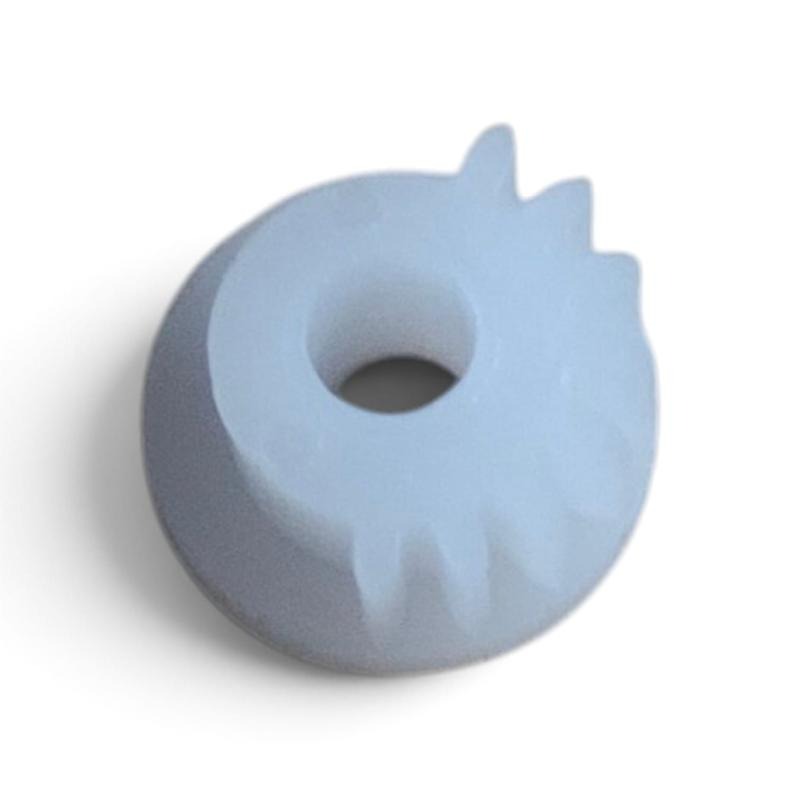
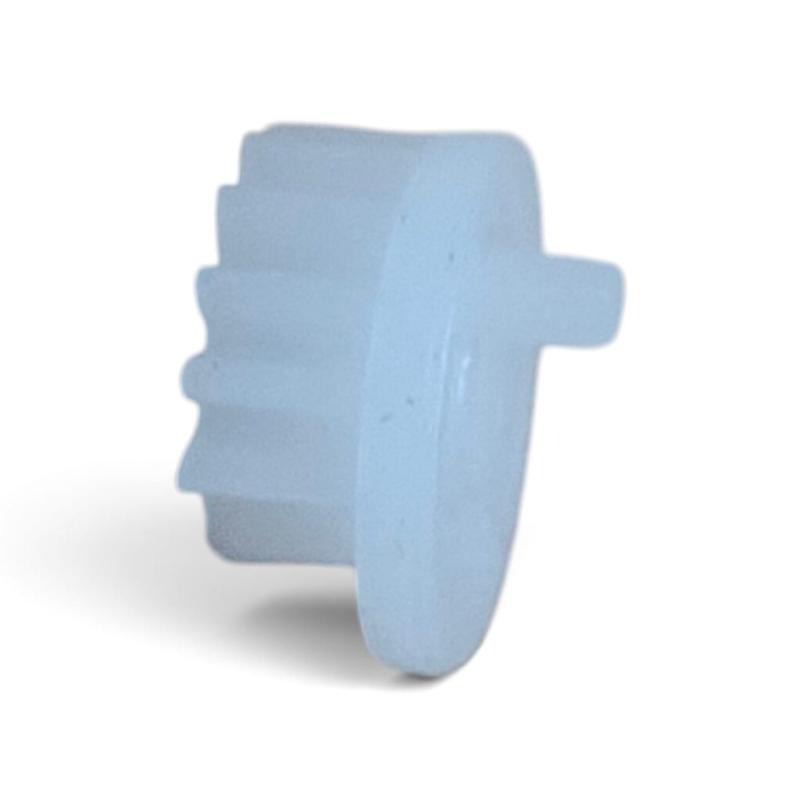
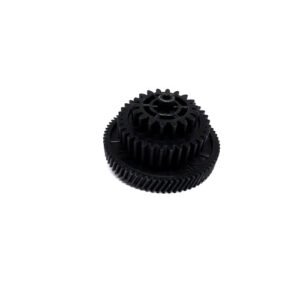
ADF Duplex Drive Gear Compatible with LaserJet Pro M426 M427 M428 M429 Printer
₹1,000.00
Buy a compatible ADF Duplex Drive Gear for M426, M427, M428 and M429 multifunction printers. Ideal for repairing paper feeding and duplex scanning issues.

Original & Compatible Printer Parts
We supply Original or Compatible printer parts in New / Pulled condition, as clearly mentioned in the individual product description.
😊 If the part supplied by us is found faulty, please report the issue within 24 hours of delivery. Eligible replacement is subject to verification and our Refund & Returns Policy.
Description
ADF Duplex Drive Gear Compatible with M426 M427 M428 M429 Multifunction Printers
The ADF Duplex Drive Gear is a compatible replacement part designed for M426, M427, M428 and M429 multifunction printers. Specifically, this gear works inside the Automatic Document Feeder (ADF) to control document movement during scanning, copying and duplex scanning. As a result, the printer delivers smooth paper feeding and reliable duplex operation.
However, if the original ADF duplex drive gear becomes worn, cracked or damaged, it may cause paper feeding problems, unusual gear noise, paper jams, incomplete scanning or failure of the duplex document-feeding function. Fortunately, replacing the damaged gear helps restore proper ADF performance. Therefore, your printer can return to smooth and reliable operation.
1. Product Features
- Replacement ADF Duplex Drive Gear
- Suitable for Automatic Document Feeder (ADF) repair
- Helps restore paper feeding and duplex scanning movement
- Ideal for replacing cracked, damaged or worn ADF gears
- Manufactured from durable engineering plastic
- Suitable for printer technicians, repair centres and service professionals
- Supplied as an individual replacement gear
2. Compatible Printer Models
- Compatible with M426 Multifunction Printers
- Compatible with M427 Multifunction Printers
- Compatible with M428 Multifunction Printers
- Compatible with M429 Multifunction Printers
3. Installation Steps
- Turn off the printer and disconnect the power cable.
- Open the Automatic Document Feeder (ADF) cover carefully.
- Remove the damaged ADF duplex drive gear.
- Install the new ADF duplex drive gear in the correct position.
- Reassemble the ADF unit securely.
- Finally, test document feeding and duplex scanning before normal use.
Important Compatibility Notice
Please note that different printer revisions may use different ADF gear designs depending on the printer version and ADF assembly. Therefore, compare the gear shape, size, number of teeth, centre hole and installation position with your original gear before placing your order. In addition, verify the product photographs to ensure complete compatibility. Finally, professional technician installation is recommended for the best results.
This product is an individual compatible replacement part. However, it is not the complete scanner or ADF assembly.
Keywords
ADF Duplex Drive Gear M426, ADF Duplex Drive Gear M427, ADF Duplex Drive Gear M428, ADF Duplex Drive Gear M429, ADF Gear Replacement, Duplex Scanner Gear, Automatic Document Feeder Gear, Printer ADF Drive Gear.
Additional information
| Weight | 200 g |
|---|